
Data Analysis with Python
by Himanshu Gaur
Master Data
Analysis
with Python
A comprehensive, interactive journey from zero to Real-World Analytics. Built for the modern web.

import pandas as pd
df = pd.read_csv('data.csv')
df.plot(kind='bar')
Visual Learning
See data come to life with beautiful, interactive charts and visualizations.
Real-World Data
Analyze huge datasets, trendlines, and social metrics with powerful tools.
Advanced Analysis
Build portfolio-ready projects analyzing social trends and complex narratives.
Powered By Modern Stack
Prerequisites & Setup
Get your development environment ready in just a few minutes. We recommend using Anaconda for the smoothest experience.
Step 1: Install Anaconda
The all-in-one Python distribution with 250+ packages for data science.
- Includes Python, Jupyter, Pandas, NumPy, Matplotlib
- Available for Windows, macOS, and Linux
-
Easy package management with
conda
Step 2: Update All Packages
Open Anaconda Prompt and run this command to ensure all packages are up-to-date.
Pro Tip: This may take a few minutes. Press y when prompted to proceed.
Quick Start After Installation
Open Jupyter Notebook
Search for "Jupyter
Notebook" in your apps or type jupyter notebook
in terminal.
Create New Notebook
Click New → Python 3 in the top-right to create a new notebook.
Start Coding!
Type import pandas as pd
and press Shift+Enter.

Photo by Chris Ried on Unsplash
Topic A: Why Python for Data Science?
Theoretical Framework
Python has become the lingua franca of data science. But why? It's not just hype. Python offers a unique combination of readability (it reads like English), a massive ecosystem of libraries (Pandas, NumPy, Scikit-Learn), and a vibrant community.
Code Implementation
Part A: Readability
# Python: Simple and Readable
users = ["Alice", "Bob"]
for user in users:
print(f"Hello, {user}")Part B: The Power of Libraries
import math
print(math.pi)🚀 Topic A Challenge
Print "Python is awesome!" using the print() function.
🧠 Homework: Research
Find one popular Python library used for Machine Learning and write down its name.
Photo by Mika Baumeister on Unsplash
Topic B: Numeric & Boolean Types
Theoretical Framework
Python supports integers, floating-point numbers, and complex numbers. Booleans represent truth values. These are the fundamental building blocks of data.
Code Implementation
Part A: Numeric Types
j for the imaginary part.
int: Whole numbers (e.g., 10, -5).float: Decimal numbers (e.g., 3.14, -0.01).complex: Real + Imaginary (e.g., 3+4j).
x = 10        # int
y = 3.14      # float
z = 2 + 3j    # complex

print(f"Type of x: {type(x)}")
print(f"Type of z: {type(z)}")
print(f"Real part of z: {z.real}")Part B: Booleans
is_active = True
is_admin = False
print(10 > 5)🚀 Topic B Challenge
Create a complex number c = 5 + 7j. Print its imaginary part.
🧠 Homework: Boolean Logic
Check if 100 is equal to 10**2 using the
== operator and print the result.

Photo by Patrick Fore on Unsplash
Topic C: Text Sequence Type (Strings)
Theoretical Framework
Strings are immutable sequences of Unicode characters. Text processing is central to data analysis (e.g., cleaning names, parsing logs).
Code Implementation
Part A: Slicing & Indexing
[start:end]. Negative
indices count from the end.text = "Data Science"
print(text[0]) # First char
print(text[-1]) # Last char
print(text[0:4]) # First 4 charsPart B: String Methods
s = "  python  "
print(s.strip().upper())
print(s.replace("python", "pandas"))🚀 Topic C Challenge
Given word = "Analysis", print the last 3 characters using
negative indexing.
🧠 Homework: String Formatting
Use an f-string to print "The value of pi is approx 3.14" given
pi = 3.14159 (round to 2 decimals).

Photo by Glenn Carstens-Peters on Unsplash
Topic D: Sequence Types (List & Tuple)
Theoretical Framework
Lists are mutable (changeable) sequences. Tuples are immutable (unchangeable). Use lists for data that changes, tuples for fixed data.
Code Implementation
Part A: Lists (Mutable)
Detailed Syntax Breakdown
[ ]: Square brackets define a list.nums[0] = ...: Mutating an element by index..append(): A method to add a single item to the end.
nums = [1, 2, 3]
nums[0] = 100    # Change
nums.append(4)   # Add
print(nums)Part B: Tuples (Immutable)
(). They are faster and safer
for constant data.coords = (10, 20)
# coords[0] = 5 # This would cause an error!
print(coords[0])🚀 Topic D Challenge
Create a tuple with 3 numbers. Try to change the first number and observe the error (mentally or in a local notebook).
🧠 Homework: List Slicing
Given data = [10, 20, 30, 40, 50], create a new list containing
only [20, 30, 40] using slicing.

Photo by Anastasiya Badun on Unsplash
Topic E: Set & Mapping Types
Theoretical Framework
Sets are unordered collections of unique items (no duplicates). Dictionaries (Mappings) store data in key-value pairs. Frozensets are immutable sets.
Code Implementation
Part A: Sets & Frozensets
# Set (Mutable)
unique_ids = {101, 102, 101}
print(unique_ids)  # Duplicates removed

# Frozenset (Immutable)
const_set = frozenset([1, 2, 3])
# const_set.add(4) # Error!Part B: Dictionaries (Mappings)
user = {"name": "Eve", "role": "Admin"}
print(user["name"])
user["role"] = "User"  # Update
print(user)🚀 Topic E Challenge
Create a set from the list [1, 2, 2, 3, 3, 3] and print it to
see duplicates vanish.
🧠 Homework: Dictionary Keys
Create a dictionary where keys are country names and values are capitals. Print the capital of "France".

Photo by Markus Spiske on Unsplash
Topic F: Binary Types
Theoretical Framework
Computers think in 0s and 1s. Bytes and Bytearrays let you work with raw binary data (like images or network packets). Memoryview allows accessing memory without copying.
Code Implementation
Part A: Bytes & Bytearray
bytes is immutable. bytearray is mutable.
They store integers 0-255.# Bytes (Immutable)
b_data = b"Hello"
print(b_data[0]) # ASCII for 'H' is 72
# Bytearray (Mutable)
ba = bytearray(b"Hello")
ba[0] = 87 # Change 'H' to 'W' (ASCII 87)
print(ba)🚀 Topic F Challenge
Create a bytearray of size 5 filled with zeros. Print it.
🧠 Homework: ASCII Conversion
Convert the string "Python" to bytes using .encode('utf-8') and
print the result.

Photo by Brendan Church on Unsplash
Topic G: Control Flow (Logic & Loops)
Theoretical Framework
Code doesn't always run in a straight line. Control Flow allows your program to
make decisions (if/else) and repeat tasks (loops).
Code Implementation
Part A: Making Decisions
Detailed Syntax Breakdown
if condition:: Starts the logic chain. Must end with a colon.elif:: "Else If". Checked only if previous conditions failed.Indentation: Critical in Python. Defines the code block.
score = 85
if score >= 90:
    print("A")
elif score >= 80:
    print("B")
else:
print("C")Part B: Loops
Detailed Syntax Breakdown
range(3): Generates a sequence of numbers [0, 1, 2].for i in ...: Takes items one by one from the sequence and assigns to `i`.f"...": f-string for inserting variables directly into text.
for i in range(3):
print(f"Count {i}")🚀 Topic G Challenge
Write a loop that prints "Hello" 3 times.
🧠 Homework: While Loop
Create a variable x = 5. Write a while loop that
prints x and subtracts 1 until x is 0.

Photo by Aaron Burden on Unsplash
Topic H: Functions & Libraries
Theoretical Framework
Functions let you save code and reuse it later. Libraries are collections of functions written by others.
Code Implementation
Part A: Functions
def greet(name):
    return f"Hello, {name}!"

print(greet("Coder"))Part B: Libraries
import math
print(math.sqrt(25))🚀 Topic H Challenge
Write a function add(a, b) that returns the sum of two numbers.
🧠 Homework: Datetime
Import the datetime library and print the current date and time.

Photo by Chris Ried on Unsplash
Topic I: Libraries in Python
Last Updated : 13 Nov, 2025
Source Credit: Content adapted from GeeksforGeeks.
Theoretical Framework
In Python, a library is a group of modules that contain functions, classes and methods to perform common tasks like data manipulation, math operations, web scraping and more. Python libraries make coding faster, cleaner and more efficient by providing ready-to-use solutions for different domains such as data science, web development, machine learning and automation.
Working of Python Library
When you import a library in Python, it gives access to pre-written code stored in separate modules. In simple terms instead of writing the logic for a task, you import the library that already has it.
For example, on Windows, libraries are stored as .dll (Dynamic Link Libraries) and on Linux/macOS as .so files. When you run your code, Python automatically loads these modules and makes their functions available to use.
Types of Python Library
Python libraries are divided into two main types:
1. Built-in Python Standard Library
It is a collection of modules that come bundled with every Python installation, we don’t need to install anything separately. Most of these modules are written in C for better performance.
Examples of built-in modules:
- math: Mathematical operations
- os: Interact with the operating system
- datetime: Date and time operations
- random: Generate random numbers
- json: Handles JSON data encoding and decoding.
2. External Python Libraries
External (third-party) libraries are not included with Python by default. You can install them easily using the pip package manager. Popular External Python Libraries:
NumPy
Short for Numerical Python. Core library for numerical computing, arrays, and matrices.
Pandas
Data analysis and manipulation. Introduces DataFrame and Series for structured data.
Matplotlib
Comprehensive plotting library for static, animated, and interactive visualizations.
SciPy
Scientific Python. Optimization, integration, signal processing, and linear algebra.
TensorFlow
End-to-end open source platform for machine learning by Google.
Scikit-learn
Simple and efficient tools for predictive data analysis and machine learning.
Scrapy
Fast high-level web crawling and web scraping framework.
PyTorch
Deep learning framework that puts Python first. Dynamic neural networks.
PyGame
Cross-platform set of Python modules designed for writing video games.
PyBrain
Modular Machine Learning Library for Python. (Legacy)
Using Libraries in Python Programs
To use any library, it first needs to be imported into your Python program using the import statement. Once imported, you can directly call the functions or methods defined inside that library. You can import libraries in three main ways:
- Import the entire library:
import library_namefor example,import math - Import a specific function or class:
from library_name import function_namefor example,from math import sqrt - Import a library with an alias:
import library_name as aliasfor example,import pandas as pd
Example 1
This program imports the entire math library and uses one of its functions.
import math

A = 16

print(math.sqrt(A))- Here, the complete math library is imported and we use
math.sqrt()to calculate the square root of 16. - Since the full library is imported, we must prefix the function with the library name
(
math.).
Example 2
This program imports only selected functions from an external library to simplify usage.
from numpy import array, mean

a = array([10, 20, 30, 40, 50])

print(mean(a))- Here, only the
array()andmean()functions are imported from the NumPy library. array()is used to create a NumPy array from a list andmean()calculates the average value of all elements in the array.- Since these functions are imported directly, we don’t need to use the
numpy.prefix each time we call them.

Photo by Nikola Jovanovic on Unsplash
Topic 1: Data Ingestion from Diverse Formats
Theoretical Framework
Economic data is rarely clean. It comes in legacy formats (fixed-width text), spreadsheets (Excel), or modern web standards (JSON). The first step in analysis is parsing this byte-stream into a structured DataFrame. Without proper ingestion, analysis is impossible.
Code Implementation
Part A: Reading Indian Census Data (Text Files)
Conceptual Goal
To ingest demographic data containing non-standard delimiters.
Detailed Syntax Breakdown
pd.read_csv(): The Swiss-Army knife for reading text files. It can handle local files or URLs.sep='|': Explicitly overrides the default comma separator. If this is wrong, Python will read the whole line as one column.StringIO: Simulates a file on disk using a string variable (useful for testing without real files).
import pandas as pd
from io import StringIO
import json

# Simulating a pipe-separated (|) file
census_data = """State|Population_Millions|Literacy_Rate
Maharashtra|112.4|82.3
Uttar Pradesh|199.8|67.7
Kerala|33.4|94.0
Bihar|104.1|61.8"""

# Reading the string as if it were a file
df_census = pd.read_csv(StringIO(census_data), sep='|')
print("--- Text File Ingestion ---")
print(df_census)Part B: Reading JSON Data (API Format)
Detailed Syntax Breakdown
json.loads(): Parses a JSON string into a Python dictionary. Essential for handling API responses.pd.DataFrame.from_dict(): Converts a dictionary into a tabular DataFrame. It infers columns from keys.
# Simulating a JSON response from an API
json_str = '{"Country": {"0": "India", "1": "USA"}, "GDP_Trillion": {"0": 3.7, "1": 23.0}}'

# Ingesting JSON
data_dict = json.loads(json_str)
df_json = pd.DataFrame.from_dict(data_dict)

print("--- JSON API Ingestion ---")
print(df_json)Part C: SQL Database Ingestion (SQLite)
sqlite3 library allows you to interact with them directly.
import sqlite3

# Create a dummy database in memory
conn = sqlite3.connect(':memory:')
cursor = conn.cursor()
cursor.execute('CREATE TABLE sales (id INT, amount REAL)')
cursor.execute('INSERT INTO sales VALUES (1, 100.5), (2, 200.0)')
conn.commit()

# Read from SQL into DataFrame
query = "SELECT * FROM sales"
df_sql = pd.read_sql_query(query, conn)

print("--- SQL Ingestion ---")
print(df_sql)🚀 Topic 1 Challenge
Try creating a CSV file named my_data.csv with headers
"Date,Price" and values "2023-01-01,500". Then read it back using
pd.read_csv('my_data.csv').
🧠 Homework: JSON Ingestion
Create a raw JSON string representing a list of 3 books (Title, Author,
Price). Use json.loads() to parse it and then convert it into a DataFrame.

Photo by Roman Mager on Unsplash
Topic 2: NumPy Arithmetic Operations
Theoretical Framework
Vectorization is the process of applying mathematical operations to an entire array at once, rather than looping through individual elements. This utilizes SIMD (Single Instruction, Multiple Data) processor features, making calculations millions of times faster for large datasets.
Code Implementation
Part A: Real vs Nominal GDP (Vectorization)
Detailed Syntax Breakdown
np.array(): Creates high-performance contiguous memory arrays. Unlike lists, these must contain a single data type (e.g., all floats).* 100: Broadcasting. The scalar 100 is "stretched" to match the shape of the array for multiplication.
import numpy as np

# Nominal GDP for 3 States (in Lakh Crores)
nominal_gdp = np.array([20.5, 15.2, 8.9])

# GDP Deflator (Base 100)
deflator = np.array([120, 115, 110])

# Calculate Real GDP
real_gdp = (nominal_gdp / deflator) * 100

print(f"Nominal GDP: {nominal_gdp}")
print(f"Real GDP: {np.round(real_gdp, 2)}")Part B: Logic Masks (Filtering)
Detailed Syntax Breakdown
arr > 20: Creates a boolean array (e.g., [True, False, True]).arr[mask]: Selects only elements where mask is True.
incomes = np.array([50000, 120000, 45000, 80000])

# Who earns more than 60k?
high_earners = incomes[incomes > 60000]

print(f"High Income Segments: {high_earners}")🚀 Topic 2 Challenge
Create two arrays: Year1_Rev = np.array([100, 200]) and
Year2_Rev = np.array([110, 250]). Calculate the percentage growth array:
((Year2 - Year1) / Year1) * 100.
🧠 Homework: Discount Logic
Create an array of 10 product prices. Apply a 10% discount to all prices
greater than 100 using boolean masking (prices[prices > 100] *= 0.9).
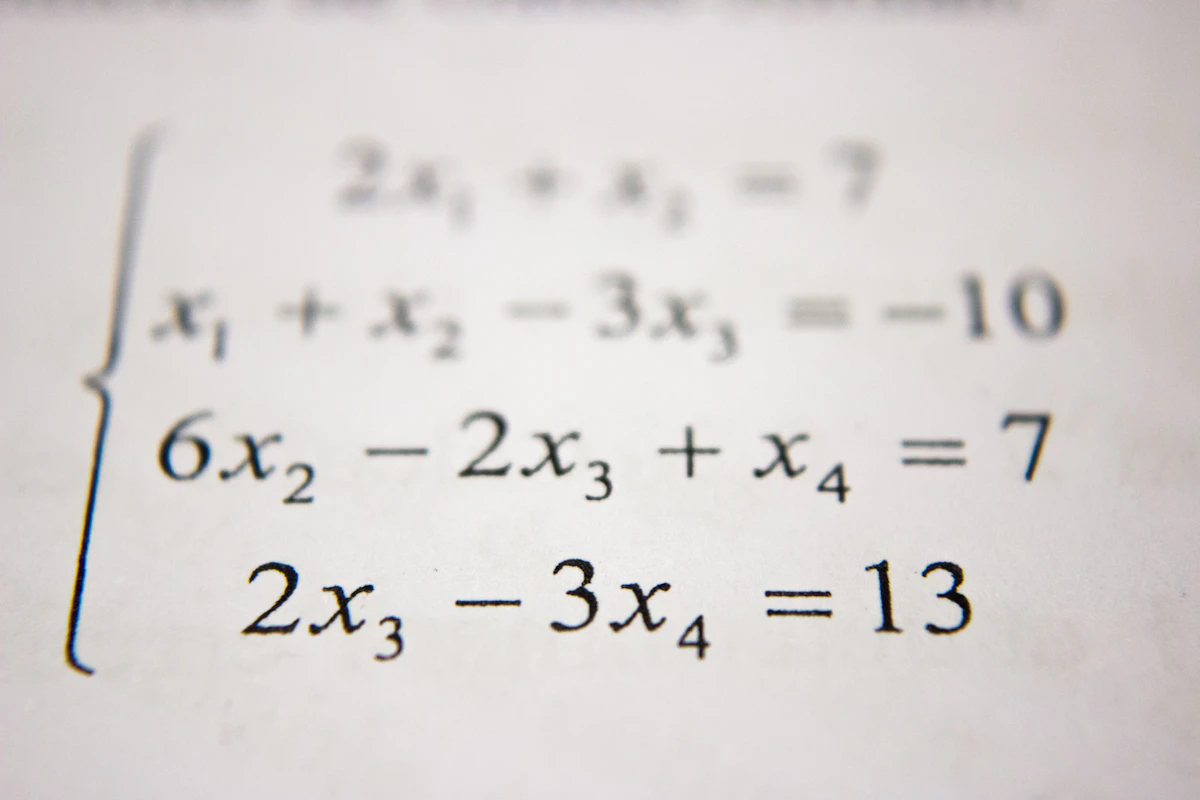
Photo by Luke Chesser on Unsplash
Topic 3: Advanced Slicing
Theoretical Framework
Slicing allows us to view specific subsets of data without copying memory. This is done by manipulating Memory Strides. This is critical for time-series analysis (e.g., comparing Q1 vs Q4 performance). Efficient slicing prevents memory overload when working with massive economic datasets.
NIFTY 50 Market Analysis
Conceptual Goal
To extract specific subsets (time periods) using index slicing.
Detailed Syntax Breakdown
linspace(start, stop, num): Generates evenly spaced numbers. Useful for creating dummy time-series data.[:5]: Start to index 5 (exclusive). Grabs the first 5 elements.[-5:]: Index -5 (5th from end) to the end. Grabs the last 5 elements.
import numpy as np

# Simulated NIFTY 50 prices (20 days)
prices = np.linspace(19000, 20000, 20)

print(f"First Week: {np.round(prices[:5], 0)}")
print(f"Last Week:  {np.round(prices[-5:], 0)}")
print(f"Net Growth: {np.round(prices[-1] - prices[0], 0)}")🚀 Topic 3 Challenge
Given an array of 12 months: months = np.arange(1, 13). Then use
.reshape(3, 4) to change it into a 3-row, 4-column matrix. Print its new shape.
🧠 Homework: Working Hours
Create an array representing 24 hours of the day (0-23). Slice it to extract only the "Working Hours" (9 AM to 5 PM).
Photo by Luke Chesser on Unsplash
Topic 3B: Statistical Analysis & Hypothesis Testing
Beyond slicing and dicing data, Data Science is about inference. Can we prove that a trend is real, or is it just random noise? This module introduces the rigorous framework of Statistical Testing.
Part 1: The Inference Framework (Theory)
The Core Concepts
- Null Hypothesis ($H_0$): The default assumption (e.g., "There is NO difference between Group A and Group B").
- Alternative Hypothesis ($H_1$): The theory we want to prove (e.g., "Group A spends more than Group B").
- P-Value: The probability of seeing the data if $H_0$ were true.
If p < 0.05, we reject $H_0$ (The result is statistically significant).
Part 2: The Toolbelt (SciPy)
Python's scipy.stats library is the
industry standard for these tests.
ANOVA: Compares the means of THREE or more groups.
Syntax Reference
from scipy import stats

# T-Test (Group A vs Group B)
t_stat, p_val = stats.ttest_ind(group_a, group_b)

# ANOVA (Group A vs Group B vs Group C)
f_stat, p_val = stats.f_oneway(group_a, group_b, group_c)
Part 3: Capstone - The "Black Friday" Analysis
We have a dataset of 10,000 transactions from a retail store. We want to answer critical business questions using Statistics.
Hypothesis 1: Gender Gap
$H_0$: Men and Women spend the same amount on average.
$H_1$: Men spend significantly more than Women.
import pandas as pd
from scipy import stats
import numpy as np

# 1. Load Data (Simulated for this demo)
# In real life: df = pd.read_csv('black_friday.csv')
np.random.seed(42)
men_spend = np.random.normal(9500, 2500, 5000)  # Men mean: $9500
women_spend = np.random.normal(8800, 2200, 5000) # Women mean: $8800

# 2. Run T-Test
t_stat, p_val = stats.ttest_ind(men_spend, women_spend)

print(f"T-Statistic: {t_stat:.2f}")
print(f"P-Value: {p_val:.10f}")

if p_val < 0.05:
    print("RESULT: Reject Null Hypothesis. The spending difference is REAL.")
else:
print("RESULT: Fail to reject Null Hypothesis.")P-Value: 0.0000000000
RESULT: Reject Null Hypothesis. The spending difference is REAL.
Hypothesis 2: Age demographics (ANOVA)
Do different age groups (18-25, 26-35, 36+) have different spending habits? Since we have >2 groups, we use ANOVA.
# Simulated Data for 3 Age Groups
age_18_25 = np.random.normal(9000, 2000, 1000)
age_26_35 = np.random.normal(11000, 3000, 1000) # Big spenders?
age_36_plus = np.random.normal(10500, 2500, 1000)

# Run ANOVA (F-Test)
f_stat, p_val = stats.f_oneway(age_18_25, age_26_35, age_36_plus)

print(f"ANOVA P-Value: {p_val:.10f}")
🚀 Challenge: Outlier Detection
Use the Z-Score method to find "Whales" (High spenders). Any transaction with a Z-Score > 3 is an outlier.

Photo by Markus Spiske on Unsplash
Topic 4: Array Metadata & Memory
Theoretical Framework
Understanding metadata is vital for optimization. A 64-bit float takes twice as much RAM as a
32-bit float. Knowing the shape and dtype prevents dimension mismatch
errors in linear algebra (e.g., you cannot multiply a 3x3 matrix by a 2x2 matrix).
Inspecting & Optimising Memory
Detailed Syntax Breakdown
.shape: Returns (Rows, Columns). Always check this before merging data..astype('float32'): Converts data types to save memory (e.g., from 64-bit to 32-bit)..nbytes: Exact memory consumed in bytes.
import numpy as np

# A matrix of 3 Sectors across 4 Quarters (Standard Float64)
data = np.zeros((3, 4))

print(f"Initial Memory: {data.nbytes} bytes")

# Optimisation: Convert to Float32
data_optimized = data.astype('float32')
print(f"Optimised Memory: {data_optimized.nbytes} bytes")🚀 Topic 4 Challenge
Create a 1D array of 12 elements using np.arange(12). Then use
.reshape(3, 4) to change it into a 3-row, 4-column matrix. Print its new shape.
🧠 Homework: Memory Optimization
Create a float64 array of 1 million elements. Check its
.nbytes. Convert it to float16 and calculate the memory saved.

Photo by Isaac Smith on Unsplash
Topic 5: DataFrames
Theoretical Framework
The DataFrame is the core of pandas. Before analysis, we must "audit" the data using summary statistics to check for sanity (e.g., ensuring no negative prices exist) and to understand the distribution (mean vs median).
Indian Startup Ecosystem Audit
Detailed Syntax Breakdown
.describe(): Generates summary stats (Count, Mean, Min, Max). The first command you should run on any new dataset..info(): Shows data types and non-null counts. Essential for finding missing values.
import pandas as pd

data = [
    ['Flipkart', 'Bengaluru', 37.6],
    ['Paytm', 'Noida', 16.0],
    ['Ola', 'Bengaluru', 7.3],
    ['Zomato', 'Gurugram', 12.0],
    ['Swiggy', 'Bengaluru', 10.7]
]

df = pd.DataFrame(data, columns=['Name', 'City', 'Valuation_B'])

print("--- Statistical Summary ---")
print(df.describe())

print("\n--- Mega Unicorns (> $15B) ---")
print(df[df['Valuation_B'] > 15.0])🚀 Topic 5 Challenge
Add a new column called 'Valuation_INR' by multiplying 'Valuation_B' by 83.
Then use .head() to view the result.
🧠 Homework: Pass/Fail Logic
Create a DataFrame of 5 students with 'Marks'. Add a new column 'Status'
which is 'Pass' if Marks > 40, else 'Fail'. (Hint: Use np.where).

Photo by Red Charlie on Unsplash
Topic 6: Basic GroupBy
Theoretical Framework
The Split-Apply-Combine strategy is fundamental. 1. Split data into groups based on keys (e.g., 'Crop'). 2. Apply a function to each group (e.g., 'Mean'). 3. Combine results into a new table. This allows for rapid comparative analysis between categories.
Indian Agriculture Yield Analysis
Detailed Syntax Breakdown
groupby('Crop'): Splits data into hidden buckets based on unique values in 'Crop'.['Yield']: Selects the column to do math on..mean(): The aggregation function. Can also be sum, max, min, or count.
import pandas as pd

agri_data = {
    'State': ['Punjab', 'Punjab', 'Haryana', 'Haryana'],
    'Crop': ['Wheat', 'Rice', 'Wheat', 'Rice'],
    'Yield_Kg_Ha': [5000, 4000, 4800, 3900]
}
df = pd.DataFrame(agri_data)

print("--- Average Yield by Crop ---")
print(df.groupby('Crop')['Yield_Kg_Ha'].mean())Part B: Multi-Column Grouping
# Grouping by State and Crop
print(df.groupby(['State', 'Crop'])['Yield_Kg_Ha'].mean())🚀 Topic 6 Challenge
Group the data by 'State' instead of 'Crop' and calculate the
sum() of Yield to see which state produces more total food in this sample.
🧠 Homework: Multi-Level Grouping
Create a Sales dataset with columns 'Region', 'Product', and 'Sales'. Group by BOTH 'Region' and 'Product' to find the total sales for each product in each region.

Photo by Isaac Smith on Unsplash
Topic 7: Multi-Aggregation
Theoretical Framework
Often we need different summaries for different variables. For Income, we want the Average. For Literacy Rate, we might want the Maximum to see the best performing zone. Pandas allows passing a dictionary of rules to achieve this in a single pass.
Regional Economic Profiling
Detailed Syntax Breakdown
.agg({...}): Dictionary mapping columns to specific functions. Key is column name, Value is function name.'mean','max': Standard statistical strings. Can also pass custom functions likenp.median.
import pandas as pd

data = {
    'District': ['Mumbai', 'Pune', 'Mumbai', 'Pune'],
    'Income': [85000, 70000, 88000, 72000],
    'Literacy': [90, 88, 91, 89]
}
df = pd.DataFrame(data)

# Complex Aggregation Rules
rules = {
    'Income': 'mean',
    'Literacy': 'max'
}

print(df.groupby('District').agg(rules))🚀 Topic 7 Challenge
Modify the rules dictionary to calculate the 'std' (Standard
Deviation) of Income. This measures inequality within the district.
🧠 Homework: Weather Aggregation
Create a weather dataset with 'City' and 'Temp'. Use .agg() to
find both the min and max temperature for each city
simultaneously.

Photo by Austin Distel on Unsplash
Topic 7b: Merging DataFrames
Theoretical Framework
In economics, data often lives in separate tables (e.g., GDP data in one file, Population data in another). Merging (or Joining) is the process of combining these tables based on a common key (like 'Country' or 'Year'). This corresponds to SQL JOINS.
Joining GDP and Population Data
Detailed Syntax Breakdown
pd.merge(left, right, on='Key'): The standard join function.how='inner': Only keeps rows that exist in BOTH tables (Intersection). Use 'outer' to keep everything (Union).
# Table 1: GDP
df_gdp = pd.DataFrame({
    'Country': ['India', 'USA', 'China'],
    'GDP': [3.5, 23.0, 18.0]
})

# Table 2: Population
df_pop = pd.DataFrame({
    'Country': ['India', 'USA', 'Japan'],
    'Pop': [1.4, 0.33, 0.12]
})

# Merge (Inner Join - China and Japan will be dropped as they don't match)
df_merged = pd.merge(df_gdp, df_pop, on='Country', how='inner')

print(df_merged)🚀 Topic 7b Challenge
Change how='inner' to how='outer'. Observe how NaN
values appear for countries that don't have a match.
🧠 Homework: Left Join Audit
Perform a left join between an 'Employees' table and a
'Departments' table. Identify which employees have a NaN department (meaning
they are unassigned).

Topic 8: Data Integrity & Cleaning
Theoretical Framework
Real-world data has holes (NaNs) and errors (Outliers). Imputation fills holes with logic (mean/median/interpolation). Outlier Detection uses stats (like Z-Score or IQR) to flag suspicious values that could skew your average.
Part A: Handling Missing AQI Data (Interpolation)
Detailed Syntax Breakdown
interpolate(): Fills gaps linearly (e.g., halfway between 10 and 20 is 15).
import pandas as pd
import numpy as np

df = pd.DataFrame({
    'Day': [1, 2, 3, 4],
    'AQI': [350, np.nan, np.nan, 320]
})

df['AQI_Clean'] = df['AQI'].interpolate()
print(df)Part B: String Cleaning
Detailed Syntax Breakdown
str.strip(): Removes leading/trailing spaces.str.upper(): Standardizes case to handle "usa" vs "USA".
df_messy = pd.DataFrame({'Country': [' India ', 'usa', 'UK']})

# Clean the strings
df_messy['Country'] = df_messy['Country'].str.strip().str.upper()

print(df_messy)Part C: Handling Missing Values (Fill/Drop)
df_messy = pd.DataFrame({'A': [1, 2, None], 'B': [5, None, 7]})
# Fill missing values with 0
print("Filled:\n", df_messy.fillna(0))
# Drop rows with any missing values
print("Dropped:\n", df_messy.dropna())Part D: Removing Duplicates
df_dup = pd.DataFrame({'ID': [1, 1, 2], 'Name': ['A', 'A', 'B']})
print("Unique:\n", df_dup.drop_duplicates())🚀 Topic 8 Challenge
Filter out rows where AQI is negative (impossible values). Use logic:
df[df['AQI'] >= 0].
🧠 Homework: Duplicate Removal
Create a DataFrame with 3 duplicate rows. Use .drop_duplicates()
to clean it, and verify the count before and after.
Photo by Luke Chesser on Unsplash
Topic 9: WEO Case Study
Theoretical Framework
In Time Series analysis (like Vector Autoregression models), raw data is often "noisy" due to daily fluctuations. We use Rolling Windows to smooth out short-term noise and reveal long-term structural trends, which is essential for forecasting.
Part A: Rolling Averages (Smoothing)
Detailed Syntax Breakdown
rolling(window=3): Creates a moving window of size 3 rows.mean(): Calculates the average within that moving window.
import pandas as pd

df = pd.DataFrame({
    'Month': ['Jan', 'Feb', 'Mar', 'Apr', 'May'],
    'Inflation': [5.1, 5.3, 5.2, 6.8, 5.4]
})

# 3-Month Moving Average
df['Rolling_Avg'] = df['Inflation'].rolling(window=3).mean()

print(df)Part B: Year-over-Year Growth
Detailed Syntax Breakdown
pct_change(): Calculates percentage change between current element and the one immediately prior.
df_gdp = pd.DataFrame({'GDP': [100, 105, 110, 108]})
df_gdp['Growth_Rate'] = df_gdp['GDP'].pct_change() * 100
print(df_gdp)🚀 Topic 9 Challenge
Change the rolling window to 2 (`window=2`) to see a more sensitive moving average.
🧠 Homework: Volatility Analysis
Calculate a 7-day rolling std() (Standard Deviation) on a stock
price array. This is a common way to measure market volatility.

Photo by CHUTTERSNAP on Unsplash
Topic 10: Trade Case Study
Theoretical Framework
International trade data is complex. We often use Pivot Tables to reorganize data from a "Long Format" (Transaction Logs) to a "Wide Format" (Matrix) for better readability. This helps in spotting trade deficits or surpluses visually.
Pivot Table Analysis
Detailed Syntax Breakdown
pivot_table(): The Excel-killer function.index='Exporter': What becomes the rows.columns='Sector': What becomes the columns.values='Value': What numbers fill the cells.aggfunc='sum': How to combine duplicates (Sum them up).
import pandas as pd

df = pd.DataFrame({
    'Exporter': ['India', 'India', 'China', 'China'],
    'Sector': ['Tech', 'Pharma', 'Tech', 'Pharma'],
    'Value': [200, 50, 500, 20]
})

# Create Matrix
matrix = df.pivot_table(index='Exporter', columns='Sector', values='Value', aggfunc='sum')

print("--- Trade Matrix ---")
print(matrix)🚀 Topic 10 Challenge
Filter the original DataFrame for 'Sector' == 'Tech' before creating the Pivot Table.
🧠 Homework: Pivot Counts
Create a Pivot Table that shows the count of sales transactions
per 'Region' and 'Product' (instead of sum). This tells you the volume of activity.
Photo by Nikola Jovanovic on Unsplash
Advanced Visualisation
While pandas handles the data, Matplotlib and Seaborn handle the aesthetics.
Part A: Seaborn Scatter Plot
import seaborn as sns
import matplotlib.pyplot as plt

# Dummy Data
data = pd.DataFrame({
    'GDP': [10, 20, 30, 40, 50],
    'Life_Exp': [60, 65, 70, 75, 80],
    'Region': ['A', 'A', 'B', 'B', 'C']
})

# Create Plot
sns.scatterplot(data=data, x='GDP', y='Life_Exp', hue='Region')
plt.title('GDP vs Life Expectancy')
plt.show()
Part B: Plotly Interactive Chart
import plotly.express as px

fig = px.bar(data, x='Region', y='GDP', color='Region', title='Regional GDP')
fig.show()
Part C: Matplotlib Basics
import matplotlib.pyplot as plt

years = [2020, 2021, 2022, 2023]
gdp = [2.5, 3.0, 3.2, 3.7]

plt.figure(figsize=(8, 4))
plt.plot(years, gdp, marker='o', linestyle='--', color='blue')
plt.title('India GDP Trend (Trillions USD)')
plt.grid(True)
plt.show()
🚀 Visualisation Challenge
Change color='blue' to color='red' and
linestyle='--' to linestyle='-' (solid line).
🧠 Homework: Bar Chart Customization
Create a bar chart showing the sales of 5 different products. Label the X-axis "Product" and the Y-axis "Revenue ($)". Add a title "Q1 Performance".

Narrative Data Science
Quantifying Storytelling Through the Lens of Kendrick Lamar's DAMN.
📚 The Academic Question
Can we mathematically prove that the order of data changes its meaning?
In 2017, Kendrick Lamar released DAMN., an album with a unique property: it tells two completely different stories depending on whether you play it forwards or backwards. The "Collector's Edition" reversed the tracklist, transforming a story of wickedness leading to death into one of weakness finding redemption. This isn't just artistic brilliance—it's a perfect case study for understanding how data ordering, transformation, and analysis fundamentally alter the conclusions we draw.
1 Modelling the Album as a Dataset
import pandas as pd
import numpy as np

# DAMN. - Complete Track Analysis Dataset
# Scores are derived from tempo, lyrical density, and thematic content
damn_data = {
    'position': list(range(1, 15)),
    'track': [
        "BLOOD.", "DNA.", "YAH.", "ELEMENT.", "FEEL.",
        "LOYALTY.", "PRIDE.", "HUMBLE.", "LUST.", "LOVE.",
        "XXX.", "FEAR.", "GOD.", "DUCKWORTH."
    ],
    'duration_sec': [118, 185, 160, 210, 195, 227, 277, 177, 314, 213, 244, 454, 244, 325],
    'aggression': [15, 95, 35, 85, 30, 45, 25, 90, 55, 20, 88, 12, 40, 50],
    'contemplation': [85, 5, 65, 15, 70, 55, 75, 10, 45, 80, 12, 88, 60, 50],
    'theme': [
        'death', 'power', 'identity', 'survival', 'isolation',
        'trust', 'ego', 'success', 'temptation', 'connection',
        'violence', 'anxiety', 'faith', 'fate'
    ]
}

df = pd.DataFrame(damn_data)

# Feature Engineering: Emotional Polarity
# Positive = Contemplation dominates, Negative = Aggression dominates
df['emotional_polarity'] = df['contemplation'] - df['aggression']

# Display the dataset structure
print("=== DAMN. Dataset Structure ===")
print(f"Shape: {df.shape[0]} tracks × {df.shape[1]} features\n")
print(df[['position', 'track', 'aggression', 'contemplation', 'emotional_polarity']].to_string(index=False))2 The Reversal Experiment: Proving Order Matters
Key Concepts Applied
.iloc[::-1]— Reverses DataFrame order without modifying original.rolling(window=3).mean()— Smooths data to reveal underlying trends.reset_index(drop=True)— Resets position numbers for fair comparison
# The Core Hypothesis: "Does reversing the data change the narrative?"

def calculate_narrative_arc(dataframe, window=3):
    """
    Calculate smoothed emotional trajectory using rolling average.
    Returns: Series of rolling mean emotional polarity scores.
    """
    return dataframe['emotional_polarity'].rolling(window=window, min_periods=1).mean()

# Forward Narrative (Original Album Order)
df_forward = df.copy()
df_forward['arc'] = calculate_narrative_arc(df_forward)

# Reverse Narrative (Collector's Edition)
df_reverse = df.iloc[::-1].reset_index(drop=True)
df_reverse['arc'] = calculate_narrative_arc(df_reverse)

# Statistical Comparison
forward_trend = df_forward['arc'].iloc[-1] - df_forward['arc'].iloc[0]
reverse_trend = df_reverse['arc'].iloc[-1] - df_reverse['arc'].iloc[0]

print("=== Narrative Arc Analysis ===\n")
print("FORWARD (Original):")
print(f"  Start: {df_forward['track'].iloc[0]} → Polarity: {df_forward['arc'].iloc[0]:.1f}")
print(f"  End:   {df_forward['track'].iloc[-1]} → Polarity: {df_forward['arc'].iloc[-1]:.1f}")
print(f"  Trend: {forward_trend:+.1f} ({'Ascending' if forward_trend > 0 else 'Descending'})\n")

print("REVERSE (Collector's Edition):")
print(f"  Start: {df_reverse['track'].iloc[0]} → Polarity: {df_reverse['arc'].iloc[0]:.1f}")
print(f"  End:   {df_reverse['track'].iloc[-1]} → Polarity: {df_reverse['arc'].iloc[-1]:.1f}")
print(f"  Trend: {reverse_trend:+.1f} ({'Ascending' if reverse_trend > 0 else 'Descending'})\n")

print(f"⚡ CONCLUSION: Reversing the data flipped the trend by {abs(forward_trend - reverse_trend):.1f} points!")3 Natural Language Processing: Theme Frequency Analysis
from collections import Counter

# Thematic Categories (domain knowledge)
THEME_CATEGORIES = {
    'Struggle': ['death', 'survival', 'violence', 'anxiety', 'isolation'],
    'Identity': ['power', 'identity', 'ego', 'success'],
    'Redemption': ['trust', 'connection', 'faith', 'fate', 'temptation']
}

def categorize_theme(theme):
    """Map individual theme to broader category."""
    for category, themes in THEME_CATEGORIES.items():
        if theme in themes:
            return category
    return 'Other'

# Apply categorization
df['category'] = df['theme'].apply(categorize_theme)

# Frequency Analysis
category_counts = df['category'].value_counts()
theme_counts = df['theme'].value_counts()

print("=== Thematic Distribution ===\n")
print("By Category:")
for cat, count in category_counts.items():
    pct = (count / len(df)) * 100
    bar = "█" * int(pct / 5)
    print(f"  {cat:12} | {bar:20} {count} tracks ({pct:.0f}%)")

print("\n" + "="*50)
print("\nUnique Themes:", len(theme_counts))
print("Most Contemplative Track:", df.loc[df['contemplation'].idxmax(), 'track'])
print("Most Aggressive Track:", df.loc[df['aggression'].idxmax(), 'track'])4 Visualization: The Dual Narrative Arc
The chart below shows the emotional trajectory of both album versions. Notice how the Forward version (blue) descends from hope to uncertainty, while the Reverse version (red) shows a journey toward redemption.
Forward: "Wickedness → Weakness"
Begins with spiritual questioning (BLOOD.), explodes into aggressive assertion (DNA.), and ends in existential limbo with DUCKWORTH.'s tale of fate.
Reverse: "Weakness → Redemption"
Begins with fate's chance encounter (DUCKWORTH.), journeys through trials, and culminates in spiritual awakening with BLOOD.'s divine question.
🚀 Advanced Challenge: Correlation Analysis
Calculate the Pearson correlation between track position and aggression
score
for both forward and reverse orders. Use df['aggression'].corr(df['position']).
What does the sign of the correlation tell you about each narrative?
🧠 Research Extension: Spotify API
Use the Spotify API to fetch real audio features (energy, valence, danceability) for each track. Compare your manual aggression scores with Spotify's computed "energy" metric. How well do human intuition and algorithmic analysis align?
Key Academic Insight
This case study demonstrates a fundamental principle of data science: the same data can tell completely different stories depending on how it's ordered, grouped, or analyzed. In finance, reversing a stock chart changes a "crash" into a "recovery." In healthcare, the order of treatments affects perceived efficacy. Always ask: "What story is my data order telling, and is there another valid interpretation?"
Grammy Awards Analytics
Exploring 65+ Years of Music Excellence Through Data Science
The Grammy Awards represent the pinnacle of music industry recognition. In this capstone, we'll analyze artist data to uncover patterns in critical acclaim vs. commercial success, perform feature engineering to create custom metrics, and visualize multi-dimensional data. All code works offline with embedded data - no API needed.
1 Data Ingestion: Building the Artist Database
Detailed Syntax Breakdown
pd.DataFrame(dict)— Converts a Python dictionary into a structured table (DataFrame).info()— Shows data types and memory usage for each column.describe()— Generates statistics (mean, std, min, max) for numeric columns.shape— Returns (rows, columns) tuple to understand dataset size
import pandas as pd
import numpy as np

# Grammy Artist Database (2024 Data - Embedded, No API Required)
grammy_data = {
    'Artist': ['Beyoncé', 'Taylor Swift', 'Kendrick Lamar', 'Adele', 'Billie Eilish',
               'Bruno Mars', 'Ed Sheeran', 'The Weeknd', 'Lady Gaga', 'Drake',
               'Rihanna', 'Kanye West', 'Jay-Z', 'Eminem', 'Pharrell Williams'],
    'Genre': ['R&B', 'Pop', 'Hip-Hop', 'Pop', 'Alt', 'Pop', 'Pop', 'R&B',
              'Pop', 'Hip-Hop', 'R&B', 'Hip-Hop', 'Hip-Hop', 'Hip-Hop', 'Hip-Hop'],
    'Grammy_Wins': [32, 14, 17, 16, 9, 15, 4, 4, 13, 5, 9, 24, 24, 15, 13],
    'Nominations': [88, 52, 60, 18, 21, 27, 14, 12, 35, 50, 33, 75, 88, 44, 42],
    'Streams_Billions': [35.0, 87.0, 23.0, 25.0, 65.0, 45.0, 95.0, 75.0, 38.0, 80.0,
                         58.0, 35.0, 28.0, 52.0, 18.0],
    'Metacritic_Avg': [88, 76, 94, 89, 81, 72, 65, 78, 74, 68, 73, 85, 82, 80, 77],
    'Active_Years': [27, 18, 20, 16, 7, 14, 13, 12, 18, 18, 19, 26, 35, 28, 30]
}

df = pd.DataFrame(grammy_data)

# Quick Data Audit
print("=== Grammy Artist Database ===")
print(f"Shape: {df.shape[0]} artists × {df.shape[1]} features\n")
print("Data Types:")
print(df.dtypes.to_string())
print("\n--- Statistical Summary ---")
print(df.describe().round(1).to_string())2 Feature Engineering: Creating Custom Metrics
Detailed Syntax Breakdown
df['new_col'] = expression— Creates a new column from calculations* 100— Converts decimal to percentage for readability.round(2)— Rounds to 2 decimal places for cleaner output.sort_values(ascending=False)— Sorts highest to lowest
# Feature Engineering: Create Derived Metrics

# 1. Win Rate: What % of nominations turn into wins? (Efficiency)
df['Win_Rate'] = (df['Grammy_Wins'] / df['Nominations'] * 100).round(1)

# 2. Legend Index: Weighted score prioritizing prestige over popularity
# Formula: 50% Wins + 30% Critical Score + 20% Commercial
df['Legend_Index'] = (
    (df['Grammy_Wins'] / df['Grammy_Wins'].max()) * 50 +
    (df['Metacritic_Avg'] / 100) * 30 +
    (df['Streams_Billions'] / df['Streams_Billions'].max()) * 20
).round(1)

# 3. Underrated Score: High quality but lower commercial appeal
# Artists with high Metacritic but relatively low streams
df['Underrated_Score'] = (
    (df['Metacritic_Avg'] * 2) / (df['Streams_Billions'] + 10)
).round(2)

# Display Rankings
print("=== Win Efficiency (Top 5) ===")
print(df.nsmallest(5, 'Nominations')[['Artist', 'Grammy_Wins', 'Nominations', 'Win_Rate']].to_string(index=False))

print("\n=== Legend Index Ranking ===")
print(df.nlargest(5, 'Legend_Index')[['Artist', 'Genre', 'Legend_Index']].to_string(index=False))

print("\n=== Most Underrated Artists ===")
print(df.nlargest(3, 'Underrated_Score')[['Artist', 'Metacritic_Avg', 'Streams_Billions', 'Underrated_Score']].to_string(index=False))3 Genre Analysis: Who Dominates the Grammys?
Detailed Syntax Breakdown
.groupby('column')— Groups rows by unique values in that column.agg({'col': 'sum'})— Applies aggregation functions to grouped data.size()— Counts number of items per group.reset_index()— Converts grouped result back to regular DataFrame
# Genre-Level Analysis using GroupBy

genre_stats = df.groupby('Genre').agg({
    'Grammy_Wins': 'sum',
    'Streams_Billions': 'sum',
    'Metacritic_Avg': 'mean',
    'Artist': 'count'  # Count artists per genre
}).rename(columns={'Artist': 'Artist_Count'})

genre_stats['Wins_Per_Artist'] = (genre_stats['Grammy_Wins'] / genre_stats['Artist_Count']).round(1)
genre_stats = genre_stats.sort_values('Grammy_Wins', ascending=False)

print("=== Grammy Wins by Genre ===")
print(genre_stats.to_string())

# Visualization Data Prep
print("\n=== Bar Chart Data ===")
for genre, row in genre_stats.iterrows():
    bar = "█" * int(row['Grammy_Wins'] / 5)
print(f"{genre:8} | {bar} {row['Grammy_Wins']} wins ({row['Artist_Count']} artists)")4 Multi-Dimensional Visualization
Detailed Syntax Breakdown
plt.scatter(x, y, s=size)— Creates scatter plot with variable marker sizesc=colors— Maps a list/array to marker colorsalpha=0.7— Sets transparency (0=invisible, 1=opaque)plt.annotate()— Adds text labels at specific coordinates
import matplotlib.pyplot as plt

# Prepare visualization data
x = df['Streams_Billions']
y = df['Metacritic_Avg']
sizes = df['Grammy_Wins'] * 30  # Scale for visibility
colors = df['Genre'].map({'Pop': '#FF6B6B', 'Hip-Hop': '#4ECDC4', 'R&B': '#FFE66D', 'Alt': '#95E1D3'})

# Create Bubble Chart
fig, ax = plt.subplots(figsize=(12, 8))
scatter = ax.scatter(x, y, s=sizes, c=colors, alpha=0.7, edgecolors='white', linewidth=2)

# Add artist labels
for i, artist in enumerate(df['Artist']):
    ax.annotate(artist, (x.iloc[i], y.iloc[i]), fontsize=9, ha='center', va='bottom')

# Styling
ax.set_xlabel('Streaming Billions', fontsize=12)
ax.set_ylabel('Metacritic Score', fontsize=12)
ax.set_title('Grammy Artists: Commercial Success vs Critical Acclaim\n(Bubble Size = Grammy Wins)', fontsize=14)
ax.axhline(y=80, color='gray', linestyle='--', alpha=0.5, label='Critical Threshold')
ax.axvline(x=50, color='gray', linestyle='--', alpha=0.5, label='Commercial Threshold')

# Legend for genres
from matplotlib.lines import Line2D
legend_elements = [
    Line2D([0], [0], marker='o', color='w', markerfacecolor='#FF6B6B', markersize=10, label='Pop'),
    Line2D([0], [0], marker='o', color='w', markerfacecolor='#4ECDC4', markersize=10, label='Hip-Hop'),
    Line2D([0], [0], marker='o', color='w', markerfacecolor='#FFE66D', markersize=10, label='R&B'),
    Line2D([0], [0], marker='o', color='w', markerfacecolor='#95E1D3', markersize=10, label='Alt')
]
ax.legend(handles=legend_elements, loc='lower right')

plt.tight_layout()
plt.savefig('grammy_bubble_chart.png', dpi=150)
plt.show()
print("Chart saved as 'grammy_bubble_chart.png'")Interactive Charts (Live Preview)
🚀 Capstone Challenge: Year-Over-Year
Add a Wins_Per_Year column by dividing Grammy_Wins by
Active_Years.
Who has the highest win rate per year active? Does longevity help or hurt?
🧠 Homework: Correlation Matrix
Use df[numeric_cols].corr() to find correlations between all numeric columns.
Are Grammy Wins correlated with Streams? With Metacritic scores? Create a heatmap using
plt.imshow() or seaborn.heatmap().
Key Insight: The Kendrick Phenomenon
Notice how Kendrick Lamar has the highest Underrated Score despite 17 Grammys? This reveals an interesting pattern: critical acclaim (Metacritic 94) doesn't always translate to commercial streaming numbers. Meanwhile, Ed Sheeran has the highest streams but lower critical scores. This tension between art and commerce is a classic data story!
Real-World Data Pipelines
Fetching, transforming, and analyzing live data from public APIs
In production data science, we rarely work with local CSV files. Instead, we build ETL Pipelines (Extract, Transform, Load) that fetch data from remote sources, clean it, and prepare it for analysis. This module demonstrates fetching data from real, working public APIs.
1 World Bank API: Country Population Data
Detailed Syntax Breakdown
requests.get(url)— Sends an HTTP GET request to the API endpoint.json()— Parses the response body as JSON into a Python dictionarypd.DataFrame()— Converts the parsed data into a structured DataFrametry...except— Gracefully handles network errors without crashing
import pandas as pd
import requests

# World Bank API: Population data (works without authentication)
url = "https://api.worldbank.org/v2/country/all/indicator/SP.POP.TOTL?format=json&date=2022&per_page=300"

try:
    response = requests.get(url, timeout=10)
    data = response.json()

    # Extract country data (skip metadata in index 0)
    records = [
        {'Country': item['country']['value'],
         'Population': item['value'],
         'Year': item['date']}
        for item in data[1] if item['value'] is not None
    ]

    df = pd.DataFrame(records)
    df = df.sort_values('Population', ascending=False).head(10)

    print("=== Top 10 Most Populous Countries (2022) ===")
    print(df.to_string(index=False))

except requests.RequestException as e:
    print(f"Network error: {e}")
    # Fallback: Use local data
    df = pd.DataFrame({
        'Country': ['China', 'India', 'United States', 'Indonesia', 'Pakistan'],
        'Population': [1412000000, 1380000000, 331000000, 273000000, 220000000],
        'Year': ['2022'] * 5
    })
print("Using cached fallback data:", df.head())2 JSONPlaceholder: Quick API Testing
Detailed Syntax Breakdown
pd.read_json(url)— Directly reads JSON from a URL into a DataFrame (no requests needed!).groupby().size()— Counts occurrences per group.reset_index(name='count')— Converts grouped series back to DataFrame with named column
import pandas as pd

# JSONPlaceholder: Free fake API (always works, no auth needed)
posts_url = "https://jsonplaceholder.typicode.com/posts"
users_url = "https://jsonplaceholder.typicode.com/users"

# Direct JSON to DataFrame - pandas magic!
posts = pd.read_json(posts_url)
users = pd.read_json(users_url)

# Analysis: Posts per user
posts_per_user = posts.groupby('userId').size().reset_index(name='post_count')
posts_per_user = posts_per_user.merge(users[['id', 'name']], left_on='userId', right_on='id')

print("=== Posts Per User Analysis ===")
print(posts_per_user[['name', 'post_count']].head())
print(f"\nTotal Posts: {len(posts)}")
print(f"Average Posts per User: {len(posts) / len(users):.1f}")3 GitHub API: Repository Analytics
Detailed Syntax Breakdown
params={...}— Query parameters added to the URL automaticallypd.json_normalize()— Flattens nested JSON into a flat DataFrame[['col1', 'col2']]— Selects specific columns (double brackets return DataFrame)
import pandas as pd
import requests

# GitHub API: Search for top Python repos (no auth required for public data)
url = "https://api.github.com/search/repositories"
params = {
    'q': 'language:python',
    'sort': 'stars',
    'order': 'desc',
    'per_page': 10
}

response = requests.get(url, params=params, timeout=10)
data = response.json()

# Flatten nested JSON structure
repos = pd.json_normalize(data['items'])

# Select key columns
analysis = repos[['name', 'stargazers_count', 'forks_count', 'owner.login']].copy()
analysis.columns = ['Repository', 'Stars', 'Forks', 'Owner']

print("=== Top 10 Python Repositories on GitHub ===")
print(analysis.to_string(index=False))
print(f"\nTotal Stars (Top 10): {analysis['Stars'].sum():,}")4 Raw CSV from GitHub: Iris Dataset
Detailed Syntax Breakdown
pd.read_csv(url)— Reads CSV directly from any URL (local or remote).describe()— Generates statistical summary (mean, std, min, max, quartiles).value_counts()— Counts unique values in a column
import pandas as pd

# Iris dataset hosted on GitHub (always available)
url = "https://raw.githubusercontent.com/mwaskom/seaborn-data/master/iris.csv"

df = pd.read_csv(url)

print("=== Iris Dataset Overview ===")
print(f"Shape: {df.shape[0]} samples × {df.shape[1]} features\n")

print("Species Distribution:")
print(df['species'].value_counts().to_string())

print("\nNumerical Summary:")
print(df.describe().round(2).to_string())🚀 Pipeline Challenge
Combine the World Bank API and GitHub API: Fetch GDP data for the top 5 countries, then fetch repos mentioning each country name. Which country has the most GitHub activity?
🧠 Homework: Error Handling
Wrap all API calls in try...except blocks. Create a function that returns
cached fallback data if the network fails. Test by disconnecting your internet.
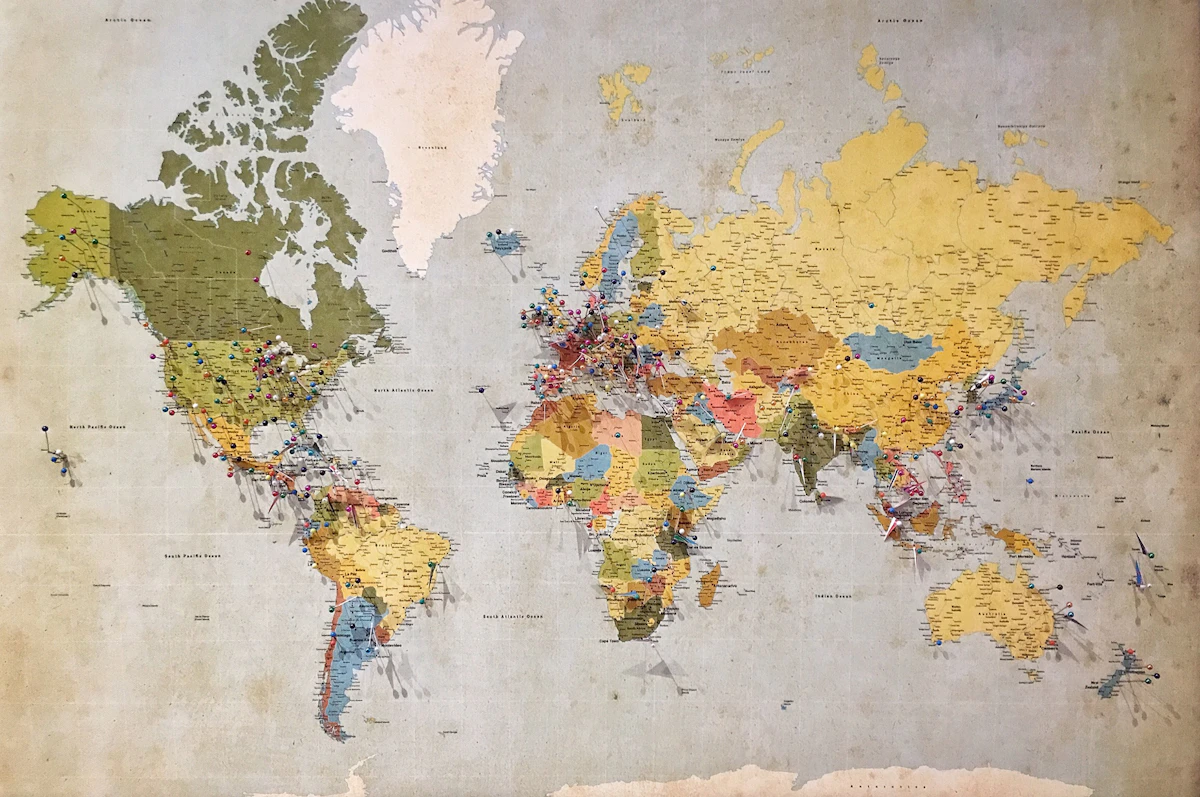
Advanced Geospatial Analytics
From static shapefiles to interactive spinning globes. This unit covers the complete spectrum of spatial analysis in Python using GeoPandas, Leaflet, Basemap, and Bokeh.
1. The Geospatial Stack
Detailed Syntax Breakdown
geopandas: The high-level API. Extends pandas DataFrames to allow spatial operations.shapely: The geometry engine. Defines Point, LineString, Polygon.fiona: The input/output driver. Reads/writes Shapefiles, GeoJSON, KML.
Installation
pip install geopandas shapely fiona matplotlib bokeh basemap basemap-data-hires2. Workflow A: Global Macro Analysis
Detailed Syntax Breakdown
gpd.read_file(): Loads vector data from a file or URL.world.plot(): The primary plotting command.column=maps data to color.classes=...: (Optional) Used for classification schemes like 'quantiles' or 'natural_breaks' (requires mapclassify).
The Python Code
import geopandas as gpd
import matplotlib.pyplot as plt

# 1. Load dataset (Updated for GeoPandas 1.0+)
url = "https://raw.githubusercontent.com/nvkelso/natural-earth-vector/master/geojson/ne_110m_admin_0_countries.geojson"
world = gpd.read_file(url)

# 2. Clean data
# Columns in new dataset are often uppercase (POP_EST, GDP_MD)
world.columns = world.columns.str.lower()

# Filter invalid data
world = world[(world.pop_est > 0) & (world.name != "Antarctica")]

# 3. Create metric (GDP per Capita)
world['gdp_per_cap'] = world.gdp_md / world.pop_est

# 4. Plot
fig, ax = plt.subplots(1, 1, figsize=(15, 6))
world.plot(column='gdp_per_cap', ax=ax, legend=True,
           cmap='OrRd', legend_kwds={'label': "GDP Per Capita"})
plt.title('Global Economic Disparity')
plt.show()
Expected Output (Interactive)
Rendered below using Leaflet.js to demonstrate web-based interactivity.
🚀 Pipeline Challenge: The Population Density
Instead of GDP per capita, calculate Population Density
(Population / Est. Area) and plot it.
Hint: world.geometry.area gives area in degree^2 (approximate). For
accuracy, reproject to a projected CRS first!
🧠 Homework: Filter Continents
Create a new GeoDataFrame containing only countries in "Africa" and plot them with the 'Spectral' colormap.
3. Workflow B: India Regional Analysis & Spatial Joins
Detailed Syntax Breakdown
geometry.centroid: Returns a Point object representing the arithmetic mean center of the polygon.contains(point): Boolean check. Returns True if the polygon fully encloses the point.crs: Coordinate Reference System. Ensure both your points and polygons use the same CRS (e.g., EPSG:4326).
Introduction to Spatial Joins
Finding the state for Mumbai:
from shapely.geometry import Point

# Load India Map (from URL)
url = "https://gist.githubusercontent.com/jbrobst/56c13bbbf9d97d187fea01ca62ea5112/raw/e388c4cae20aa53cb5090210a42ebb9b765c0a36/india_states.geojson"
india = gpd.read_file(url)

# Define Mumbai
mumbai = Point(72.8777, 19.0760)

# The Magic: Find the containing state
state = india[india.contains(mumbai)]
print(f"Mumbai is in: {state['ST_NM'].values[0]}")
# Expected Output: Mumbai is in: Maharashtra
Expected Output (Interactive)
Interactive India Map focused on Administrative Boundaries.
🚀 Pipeline Challenge: Centroid Plotting
Calculate the centroid of every state in India and plot them as red dots ON
TOP of the white map boundaries.
ax = india.plot(); centroids.plot(ax=ax, color='red').
🧠 Homework: The Golden Quadrilateral
Create a LineString connecting Delhi, Mumbai, Chennai, and
Kolkata. Check if this line crosses the state of "Madhya Pradesh".
4. Workflow C: Real-Time Pipeline (Live Earthquakes)
Detailed Syntax Breakdown
gpd.read_file(url): GeoPandas is smart enough to read GeoJSON directly from a live web URL.markersize=...: We scale the size of the dots based on the earthquake'smagnitudecolumn. Dynamic styling!
The Python Code
import geopandas as gpd
import matplotlib.pyplot as plt

# 1. Fetch Live Data (USGS Feed: 2.5+ Mag, Past Day)
live_url = "https://earthquake.usgs.gov/earthquakes/feed/v1.0/summary/2.5_day.geojson"
quakes = gpd.read_file(live_url)

# 2. Load Background Map (Stable URL)
world_url = "https://raw.githubusercontent.com/nvkelso/natural-earth-vector/master/geojson/ne_110m_admin_0_countries.geojson"
world = gpd.read_file(world_url)

# 3. Plot
fig, ax = plt.subplots(figsize=(12, 8))
world.plot(ax=ax, color='lightgrey', edgecolor='white')

# Plot events (Size = Magnitude)
if not quakes.empty:
    quakes.plot(ax=ax,
                markersize=quakes['mag'] * 20,
                color='red',
                alpha=0.6,
                edgecolor='darkred')

plt.title(f"Live Feed: {len(quakes)} Earthquakes > M2.5 (Past 24h)")
plt.show()
Expected Output
Generating Live Map...

Red circles appear where quakes happened today.
🚀 Pipeline Challenge: The 'Big One' Filter
Modify the code to print the location (place column) of the
single largest earthquake in the dataset.
Hint: quakes.sort_values('mag', ascending=False).iloc[0].
🧠 Homework: ISS Tracker
Use the OPEN-NOTIFY API
(http://api.open-notify.org/iss-now.json) to
get the current latitude/longitude of the ISS. Turn it into a shapely.Point and
plot
it!
5. Interactive & Pro Visualization
A. Interactive Web Plots with Bokeh
Detailed Syntax Breakdown
GeoJSONDataSource: Converts GeoPandas data into a format Bokeh understands (JSON).figure(): The canvas. Enable tools like'pan, wheel_zoom'here.patches(): The glyph method used to draw polygons (countries/states).
from bokeh.plotting import figure, show, output_file
from bokeh.models import GeoJSONDataSource

# 1. Convert Data
geo_source = GeoJSONDataSource(geojson=world.to_json())

# 2. Setup Plot
p = figure(title="Interactive World Map", width=800, height=500)

# 3. Add Polygons
p.patches('xs', 'ys', source=geo_source,
          fill_color='blue', line_color='white', fill_alpha=0.6)

# 4. Save & Show
output_file("world_map.html")
show(p)
Expected Output: Opens a new browser tab with a zoomable world map.
🧠 Homework: Hover Tool
Add a HoverTool to the Bokeh plot to display the
Country Name and GDP when you mouse over a country.
B. Interactive Street Maps with Folium
Detailed Syntax Breakdown
folium.Map(): Creates the base map.tiles='CartoDB dark_matter'gives a cool modern look.CircleMarker(): Adds a circle at lat/lon. Unlike Scatter plots, these stick to the map location when you zoom.m.save(): Exports the entire interactive app as a single HTML file.
# !pip install folium
import folium
import requests
import webbrowser
import os

# 1. Fetch Real-time Data (USGS)
url = "https://earthquake.usgs.gov/earthquakes/feed/v1.0/summary/4.5_week.geojson"
data = requests.get(url).json()

# 2. Create Map (Dark Mode)
m = folium.Map(location=[20, 0], zoom_start=2, tiles='CartoDB dark_matter')

# 3. Add Loop
for feature in data['features']:
    coords = feature['geometry']['coordinates'] # [lon, lat]
    mag = feature['properties']['mag']
    place = feature['properties']['place']

    # Note: Folium uses [Lat, Lon], GeoJSON is [Lon, Lat]
    folium.CircleMarker(
        location=[coords[1], coords[0]],
        radius=mag * 2,
        color='#ff5555',
        fill=True,
        popup=f"<b>{place}</b><br>Mag: {mag}"
    ).add_to(m)

# 4. Save & Auto-Open
filename = "crisis_dashboard.html"
m.save(filename)

# Print location and Open
print(f"Map saved to: {os.path.abspath(filename)}")
webbrowser.open('file://' + os.path.abspath(filename))
Expected Output: Prints the file path
and automatically opens crisis_dashboard.html in your default web browser.
🚀 Pipeline Challenge: Heatmaps
Import from folium.plugins import HeatMap and create a
global Heatmap of earthquake intensity instead of individual circles.
C. Pro Static Maps with Basemap
Detailed Syntax Breakdown
projection='ortho': Creates a 3D-like globe view directly from above thelat_0, lon_0point.drawcoastlines(),drawcountries(): Helper methods to add high-res vector layers.fillcontinents(): Adds aesthetic coloring to land masses.
# !pip install basemap basemap-data-hires
from mpl_toolkits.basemap import Basemap
import matplotlib.pyplot as plt

plt.figure(figsize=(10, 10))

# 1. Define Projection (Orthographic = Globe)
m = Basemap(projection='ortho', lat_0=20, lon_0=78)

# 2. Draw Details
m.drawcoastlines()
m.drawcountries()
m.fillcontinents(color='coral', lake_color='aqua')
m.drawmapboundary(fill_color='aqua')

plt.title("Orthographic View centered on India")
plt.show()
Expected Output: A beautiful "marble" style globe image centered on the Indian subcontinent.
🚀 Pipeline Challenge: The Robinson Projection
Change the projection to 'robin' (Robinson), which is often
used for world maps to minimize distortion at poles.

Further Learning Resources
A curated list of courses and resources to continue your data science journey.
SQL (Structured Query Language)
CSV files are for small data.
Real companies use SQL databases. Learn SELECT * FROM table logic.
Machine Learning (Scikit-Learn)
Move from "What happened?" to "What will happen?". Learn Linear Regression for GDP forecasting.
Resource: Kaggle LearnEconometrics (Statsmodels)
For rigorous statistical testing (P-values, R-squared) specifically for economics research.
Resource: Statsmodels DocsGeospatial Analysis (Geopandas)
Plotting economic data on maps (Choropleths). Essential for regional development studies.
Resource: Geopandas.orgPython for Data Science (IBM)
Python fundamentals + data manipulation + data I/O. Good structured path from basics to analysis.
Resource: Coursera (Audit Free)Statistics with Python (UMich)
Probability, hypothesis testing, and inference. Important for strong statistical foundation.
Resource: Coursera (Audit Free)FreeCodeCamp Data Analysis
Data wrangling with Pandas/NumPy, visualization. Good free starting point for self-paced practice.
Resource: FreeCodeCampBook: Python for Data Analysis
By Wes McKinney (Creator of Pandas). The definitive guide for deep understanding.
Resource: Read OnlineEssential Reading & Blogs
📚 Reputed Books
-
Hands-On Machine LearningAurélien Géron • The generic ML bible
-
Intro to Statistical Learning (ISL)James, Witten, Hastie, Tibshirani • Accessible theory
-
Designing Data-Intensive ApplicationsMartin Kleppmann • System Design Masterclass
-
Fluent PythonLuciano Ramalho • For advanced Pythonistas
-
Storytelling with DataCole Knaflic • Visualization Principles

Frequently Asked Questions
Q: "ModuleNotFoundError: No module named pandas" +
You haven't installed the
library. Open your terminal/command prompt and run: pip install pandas or
conda install pandas.
Q: Why use Jupyter over IDLE? +
Jupyter allows you to see the output of code immediately below the cell and supports markdown text for explanations. It is the standard for Data Science storytelling.
Q: What is the "SettingWithCopyWarning"? +
This happens when you filter a
DataFrame (e.g., df[df['A']>5]) and then try to modify it immediately.
Pandas isn't sure if you want to modify the original or the copy. Fix: Use
.copy() explicitly: new_df = df[df['A']>5].copy().
Q: Difference between inplace=True and False?
+
inplace=False (default) returns a
new modified object and leaves the original untouched.
inplace=True modifies the original object directly to save memory. Example:
df.drop('col', axis=1, inplace=True).
Q: Difference between `merge` and `concat`? +
merge joins data
horizontally based on a Key (like SQL JOIN). concat stacks data vertically
(adding more rows) or horizontally (adding columns) purely by position.
Q: What is the difference between `axis=0` and `axis=1`? +
axis=0 usually
refers to rows (or the index), meaning the operation goes down the DataFrame (e.g., mean
of a column). axis=1 refers to columns, meaning the operation goes across
the DataFrame (e.g., mean of a row).
Q: Matplotlib vs. Seaborn? +
Matplotlib is the foundation; it's powerful but verbose. Seaborn is built on top of Matplotlib; it's easier to use, has better default styles, and is designed specifically for statistical plots.
Q: How do I handle "NaN" values? +
You can drop them using
dropna() or fill them using fillna() (with a mean, median, or
zero). Advanced methods include interpolation (Topic 8).
Q: What makes Python popular for data science? +
It has clean syntax, strong library support, active community, and works well with machine learning frameworks.
Q: What are the essential Python libraries for data science? +
NumPy, Pandas, Matplotlib, Seaborn, Scikit-learn, SciPy, Statsmodels, and frameworks like TensorFlow or PyTorch.
Q: Are there any hidden secrets? +
🐣 Hidden Easter Eggs
The platform currently hosts 10 Secret Modes waiting to be discovered.
| Secret Mode | Trigger Code | Effect |
|---|---|---|
| Matrix Rain | matrix |
🟢 Digital rain overlay |
| Cinema Mode | action |
🎬 Focus mode (hides UI) |
| Disco Mode | Toggle Theme 5x | 🕺 Funky colors & strobe |
| Snake Game | Click "Python" in Title 10x | 🐍 Playable Canvas Snake |
| Gravity Failure | Shift+Click "Get Started" | 🌌 Physics simulation |
| Retro Win95 | Click "2026" (Footer) 3x | 💾 Windows 95 Brutalist theme |
| Confetti | Click Progress Pill 7x | 🎉 Celebration explosion |
| Hidden Terminal | Press ~ 3x |
💻 Hacker console (try help) |
| Logo Fly | Click Sidebar Logo 5x | 🚁 Logo animation |
| Dev Commentary | Click Name (Sidebar) 5x | 🎙️ Developer tooltips |
*Note: Triggers include overlap prevention logic.
Q: What is the difference between a list, tuple, and NumPy array? +
Lists are general purpose, tuples are immutable, and NumPy arrays support vectorized numerical computation.
Q: What is vectorization in NumPy? +
Executing operations on entire arrays without explicit Python loops.
Q: Why do data scientists prefer Pandas DataFrame? +
Structured tabular storage, easy filtering, group operations, merging, and fast I/O.
Q: How do you handle missing values in Pandas? +
Using functions like isna(), dropna(), fillna(), or imputing values with averages or model based techniques.
Q: What is the difference between loc and iloc? +
loc uses labels. iloc uses integer positions.
Q: What is broadcasting in NumPy? +
Automatic expansion of smaller arrays to match the shape of larger arrays during element wise operations.
Q: What is EDA? +
Exploratory data analysis involving summary statistics, visualizations, and pattern detection.
Q: How do you remove outliers? +
Methods include z scores, IQR method, domain rules, or model based anomaly detection.
Q: What are the different types of data in Python? +
Numeric, string, boolean, list, tuple, dictionary, set, and custom objects.
Q: How do you read CSV files in Python? +
Using pd.read_csv("file.csv") from Pandas.
Q: What is the difference between NumPy and Pandas? +
NumPy focuses on numerical arrays. Pandas is built on top of NumPy and adds labeled tabular data structures.
Q: What is a lambda function? +
Small anonymous function defined with lambda for inline operations.
Q: How do you merge or join DataFrames? +
Using merge, join, or concat in Pandas depending on the structure.
Q: What is a virtual environment in Python? +
An isolated environment containing its own Python version and packages.
Q: What is feature scaling and why is it important? +
Transforming variables to similar ranges for better model stability. Techniques include normalization and standardization.
Q: What is the purpose of train_test_split? +
To divide data into training and testing sets for unbiased model evaluation.
Q: What is the difference between supervised and unsupervised learning? +
Supervised learning uses labeled data. Unsupervised learning finds hidden structure in unlabeled data.
Q: How do you evaluate a machine learning model in Python? +
Using metrics like accuracy, precision, recall, RMSE, or R² through Scikit-learn.
Q: What is overfitting and how can Python help prevent it? +
When a model memorizes instead of generalizing. Techniques include cross validation, regularization, and dropout.
Q: What are Python generators used for? +
Creating iterators that produce items lazily, useful for large datasets.
Q: What is a confusion matrix? +
A table showing true and predicted classifications to understand model performance.
Q: How do you visualize data in Python? +
Using libraries like Matplotlib, Seaborn, or Plotly for plots such as histograms, scatter plots, heatmaps.
Q: What is pickling in Python? +
Serializing objects using pickle so that models or structures can be saved and loaded later.

Challenge Solutions
Stuck on a challenge? Here are the elegant, "Pythonic" solutions to every problem posed in the course. Click on a topic to reveal the answer.
0 Module 0: Python Basics
Topic A: The Print Statement
print("Python is awesome!")Topic B: Arithmetic Expression
# Calculation: (50 + 30) * 20
print((50 + 30) * 20)
Topic C: String Slicing
quote = "Data Science is cool"
# Extract "Data Science" (First 12 chars)
print(quote[0:12])
Topic D: Lists & Tuples
my_list = [10, 20, 30]
# Access the last element using negative indexing
print(my_list[-1])
Topic G: Loops
# Print numbers 1 to 10
for i in range(1, 11):
    print(i)
Topic H: Functions
def adder(a, b):
    return a + b

print(adder(10, 5))
1 Module 1: Economic Data Analysis
Topic 1: Loading Data
import pandas as pd
df = pd.read_csv('data.csv')
print(df.head())
Topic 2: Vectorization
# Multiply two columns instantly
df['Total'] = df['Price'] * df['Quantity']
Topic 3: Filtering
# Filter for Electronics
electronics = df[df['Category'] == 'Electronics']
2 Module 2: Manipulation
Topic 5: Column Creation
# Convert Valuation (Billions USD) to INR
# Assumes 'Valuation_B' exists
df['Valuation_INR'] = df['Valuation_B'] * 83
print(df.head())
Topic 6: GroupBy
# Sum of Yield by State
print(df.groupby('State')['Yield_Kg_Ha'].sum())
Topic 7: Aggregation
# Calculate STD of Income per District
df.groupby('District').agg({'Income': 'std'})
Topic 7b: Merging (Outer)
# Outer Join to keep all rows
pd.merge(df_gdp, df_pop, on='Country', how='outer')
Topic 8: Logic Filtering
# Filter non-negative AQI values
clean_df = df[df['AQI'] >= 0]
3 Module 3: Advanced Economics
Topic 9: Rolling Average
# Rolling window of 2
df['Rolling_MA'] = df['Inflation'].rolling(window=2).mean()
Topic 10: Pivot Table
# Filter then Pivot
tech_df = df[df['Sector'] == 'Tech']
matrix = tech_df.pivot_table(index='Exporter', columns='Sector', values='Value', aggfunc='sum')
4 Advanced Modules (Capstone)
Kendrick Lamar: Correlation
# Calculate Person Correlation
corr_forward = df['aggression'].corr(df['position'])
print(f"Forward Correlation: {corr_forward}")
Grammy Analytics: Wins per Year
# Wins per Active Year
df['Wins_Per_Year'] = (df['Grammy_Wins'] / df['Active_Years']).round(2)
print(df.sort_values('Wins_Per_Year', ascending=False).head())
Pipeline: The API Mashup
import requests

# 1. Fetch Top GDP Data (World Bank)
wb_url = "http://api.worldbank.org/v2/country/all/indicator/NY.GDP.MKTP.CD?format=json&per_page=5"
data = requests.get(wb_url).json()[1]

# 2. Iterate & Query GitHub
for entry in data:
    country = entry['country']['value']
    # Search GitHub for repos
    gh_url = f"https://api.github.com/search/repositories?q={country}"
    count = requests.get(gh_url).json().get('total_count', 0)
    print(f"Checked {country}: {count} repos")
Pipeline: Population Density
# Reproject to Equal Area and calculate density
world_proj = world.to_crs("ESRI:54009")
world['pop_density'] = world['pop_est'] / (world_proj.geometry.area / 10**6)
Pipeline: Centroid Plotting
# Calculate Centroids
centroids = india.geometry.centroid

# Plot on top of map
fig, ax = plt.subplots()
india.plot(ax=ax, color='white', edgecolor='black')
centroids.plot(ax=ax, color='red', markersize=20)
Pipeline: The 'Big One'
# Top 1 Largest Earthquake
biggest = quakes.sort_values('mag', ascending=False).iloc[0]
print(biggest['place'])
Glossary
Vectorization
Performing operations on entire arrays at once (simultaneous), rather than one by one (iterative). Key to Python's speed.
DataFrame
A 2-dimensional labeled data structure with columns of potentially different types (like a spreadsheet).
Imputation
The process of replacing missing data with substituted values (like mean, median, or interpolated values).
Broadcasting
NumPy's ability to perform arithmetic on arrays of different shapes (e.g., adding a scalar to a matrix).
Feature Engineering
Creating new meaningful variables from existing data (e.g., calculating "Growth Rate" from raw "GDP" values).
Boolean Indexing
Selecting subsets of data based on the
actual values of the data rather than their row/column labels or integer positions
(e.g., df[df['Value'] > 10]).
Correlation
A statistical measure that expresses the extent to which two variables are linearly related (meaning they change together at a constant rate).

References (APA 7)
- Python Software Foundation. (n.d.). Python 3.12 documentation. Retrieved from https://docs.python.org/3/
- McKinney, W. (2017). Python for data analysis: Data wrangling with Pandas, NumPy, and IPython (2nd ed.). O'Reilly Media. [Link]
- VanderPlas, J. (2016). Python data science handbook: Essential tools for working with data. O'Reilly Media. [Link]
- Géron, A. (2019). Hands-on machine learning with Scikit-Learn, Keras, and TensorFlow (2nd ed.). O'Reilly Media. [Link]
- Grus, J. (2019). Data science from scratch: First principles with Python (2nd ed.). O'Reilly Media.
- Pedregosa, F., et al. (2011). Scikit-learn: Machine learning in Python. Journal of Machine Learning Research, 12, 2825-2830. [Link]
- Harris, C. R., et al. (2020). Array programming with NumPy. Nature, 585(7825), 357-362. [Link]
- Hunter, J. D. (2007). Matplotlib: A 2D graphics environment. Computing in Science & Engineering, 9(3), 90-95. [Link]
- Waskom, M. (2021). Seaborn: Statistical data visualization. Retrieved from https://seaborn.pydata.org/
- Real Python. (n.d.). Python tutorials. Retrieved from https://realpython.com/
- Kaggle. (n.d.). Kaggle: Your machine learning and data science community. Retrieved from https://www.kaggle.com/
- Stack Overflow. (n.d.). Stack Overflow. Retrieved from https://stackoverflow.com/
- Downey, A. B. (2015). Think Python: How to think like a computer scientist (2nd ed.). O'Reilly Media. [Link]
- Burkov, A. (2019). The hundred-page machine learning book. Andriy Burkov. [Link]
- Raschka, S., & Mirjalili, V. (2019). Python machine learning (3rd ed.). Packt Publishing.
- Anaconda. (n.d.). Anaconda distribution. Retrieved from https://www.anaconda.com/
- Project Jupyter. (n.d.). Jupyter. Retrieved from https://jupyter.org/
- The pandas development team. (2020). pandas-dev/pandas: Pandas. Zenodo. [Link]
- W3Schools. (n.d.). Python tutorial. Retrieved from https://www.w3schools.com/python/
- International Monetary Fund. (2023). World economic outlook database. Washington, D.C.: IMF. [Link]
Let's collaborate.
Building the future of data science education. One pixel at a time.
Himanshu Gaur
Data Scientist & Educator

Connect
Code & Projects
Publications
Say Hello
© 2026 Himanshu Gaur. Designed in California (Style).